ClinicFloww · Clinic management software
Your clinic.
Everywhere.
Local-first clinic management for doctors and dental clinics. Zero cloud risk. On every screen you own.
300+
Doctors connected
100%
Data stays local
0
Cloud servers with your data
5
Phone, tablet, laptop, desktop, TV
What is ClinicFloww?
ClinicFloww is clinic management software for doctors and dental clinics. It runs on the clinic's own computer and helps staff manage appointments, patient records, billing, inventory and WhatsApp reminders.
How ClinicFloww uses your Google account
Connecting Google is optional. If a clinic connects its Google account, ClinicFloww uses it only to:
- Google Calendar: show clinic appointments in the clinic's calendar.
- Google Contacts: save patient contact details to the clinic's contacts.
- Google Sheets and Drive: export reports and back up clinic data to files that ClinicFloww itself creates.
Google data is used only to provide these features. It is never sold, used for advertising, or shared with third parties. Read our Privacy Policy.
Your patient records live on your clinic PC. Not on our servers. Not in the cloud. And yet, they go wherever you go.
ClinicFloww Connect
Access from anywhere.
Stored nowhere else.
Open your clinic from home, a second clinic or a conference abroad. Every record stays on the PC in your clinic. Nothing is copied to a cloud database.
All data stored here, and only here.
Stays in your clinic
Records are stored on your clinic PC. Not on our servers, not in a cloud database.
Encrypted when you're away
Reach your clinic over a secure, encrypted connection from any browser.
Zero cloud risk
No vendor copy of your data to leak, lose or lock you out of.
Instant on clinic Wi-Fi
Phones and tablets in the clinic join by scanning a QR code. No extra setup.
Every device
One app.
Every screen.
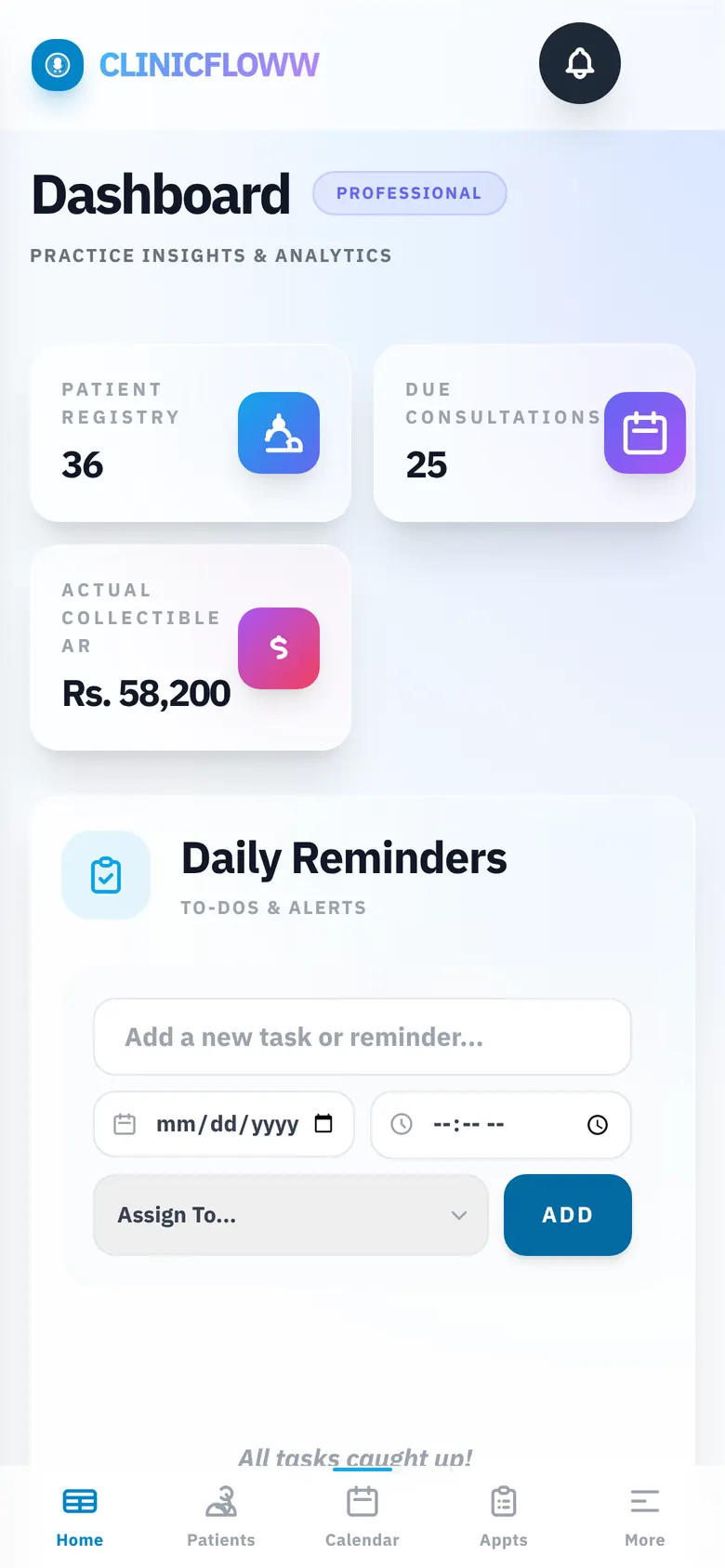
Phone, tablet, laptop, desktop or the TV in your waiting room. If it has a browser, it runs ClinicFloww.
Smart TV
Put the day's appointment queue on the big screen.
Desktop
Your clinic's command centre at the front desk.
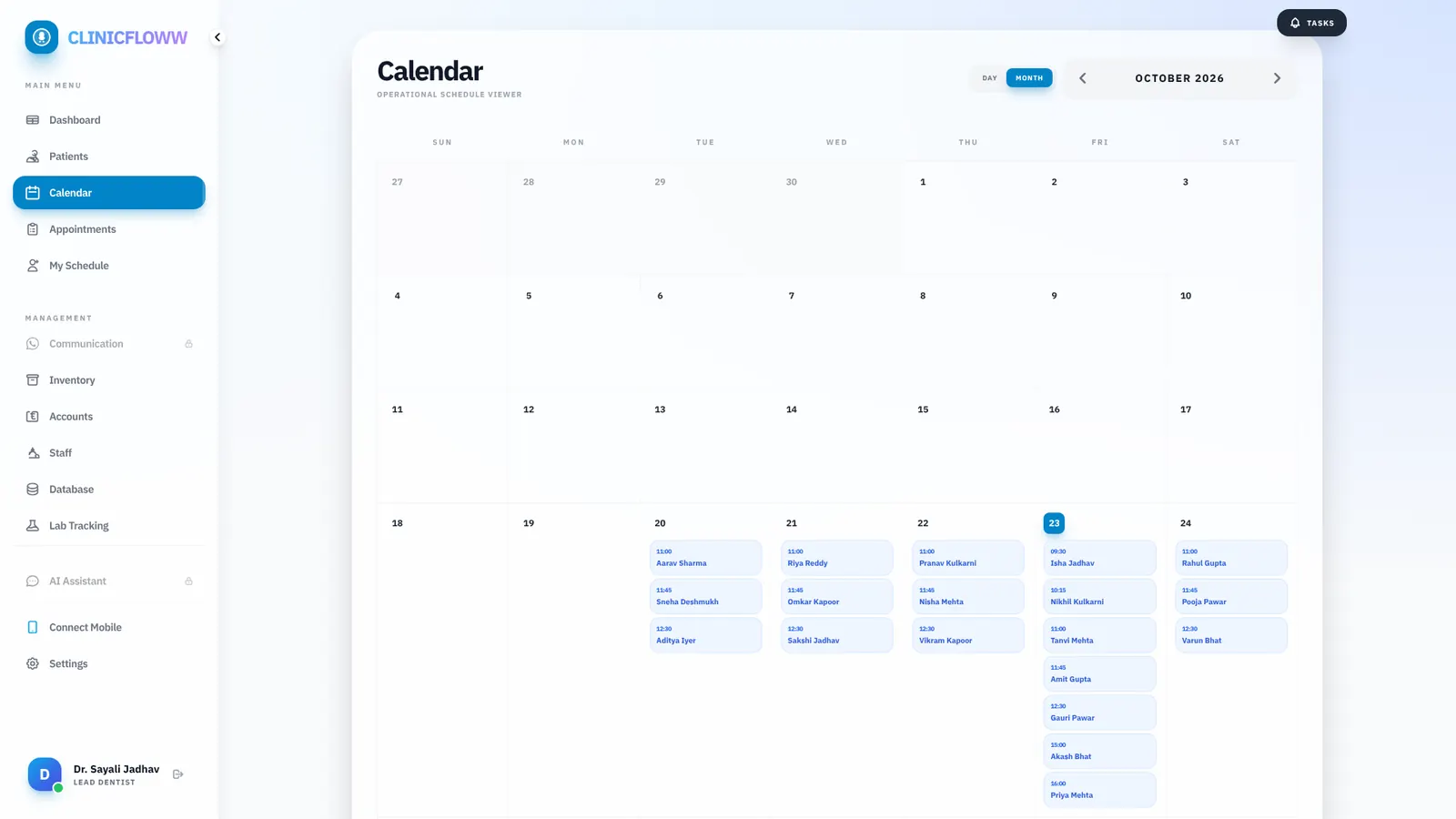
Laptop
Billing, reports and records, wherever you sit.
Tablet
Patient records and charting, right at the chair.
Phone
Today's schedule and dues in your pocket.
Take the tour
See the real app.
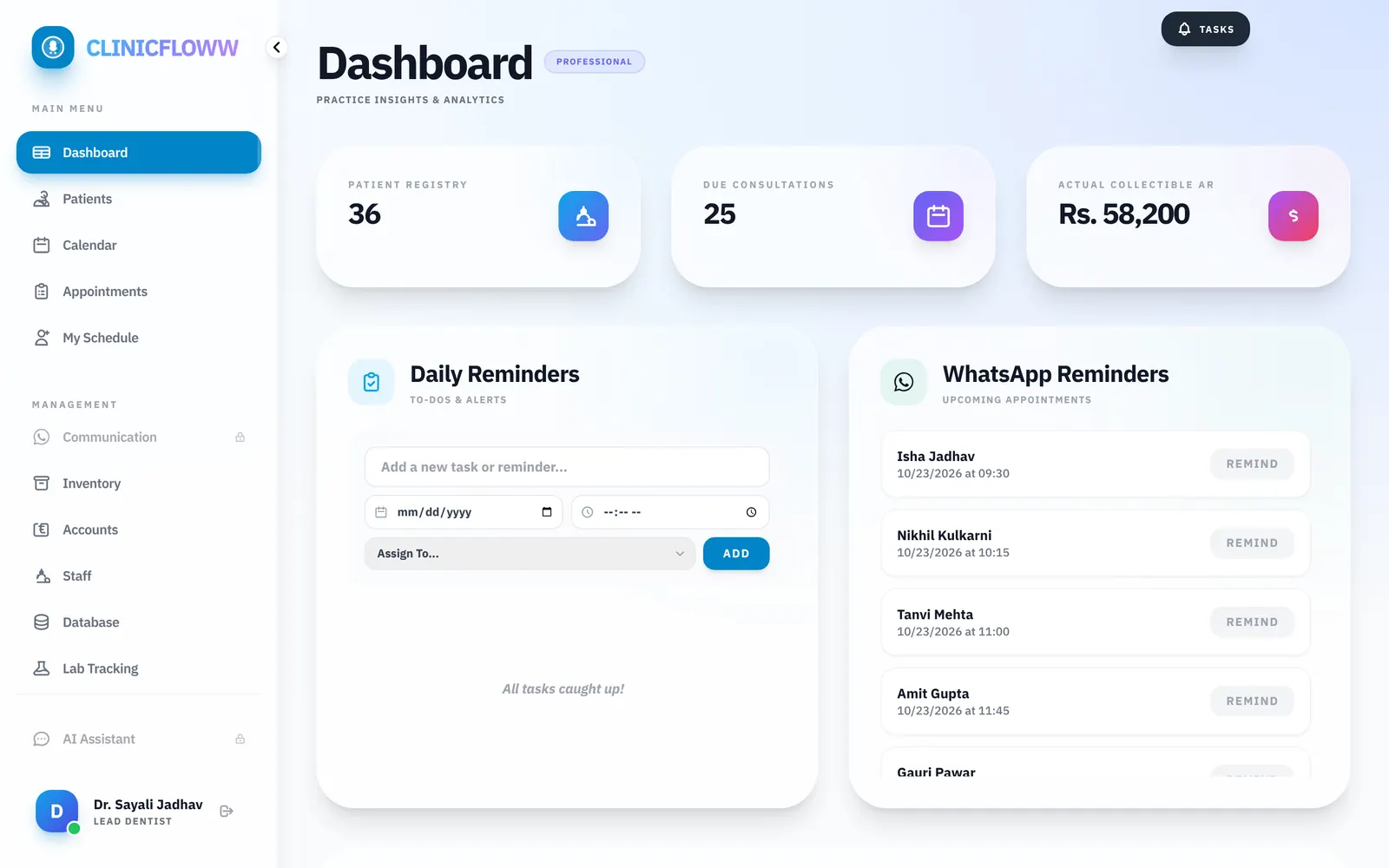
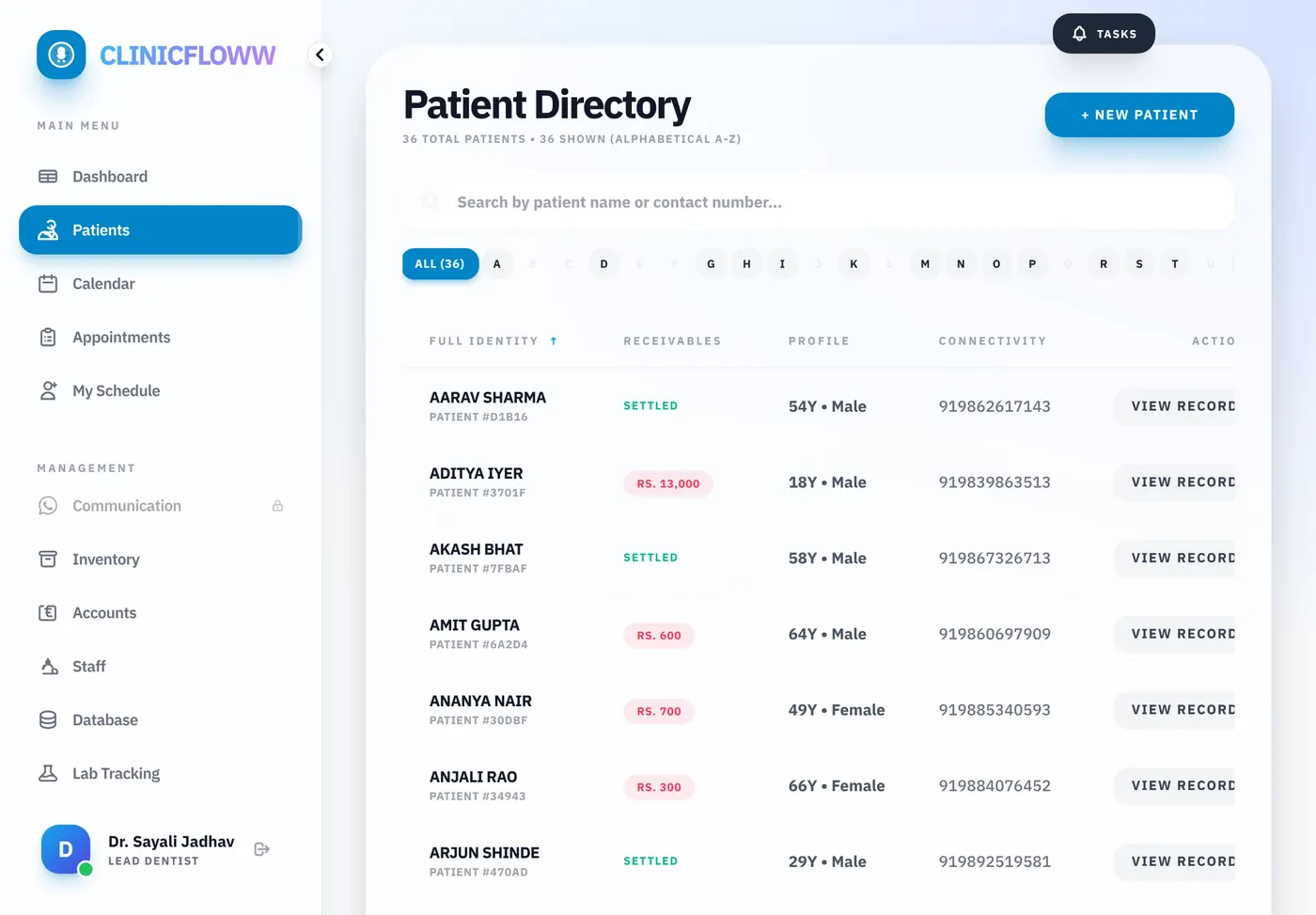
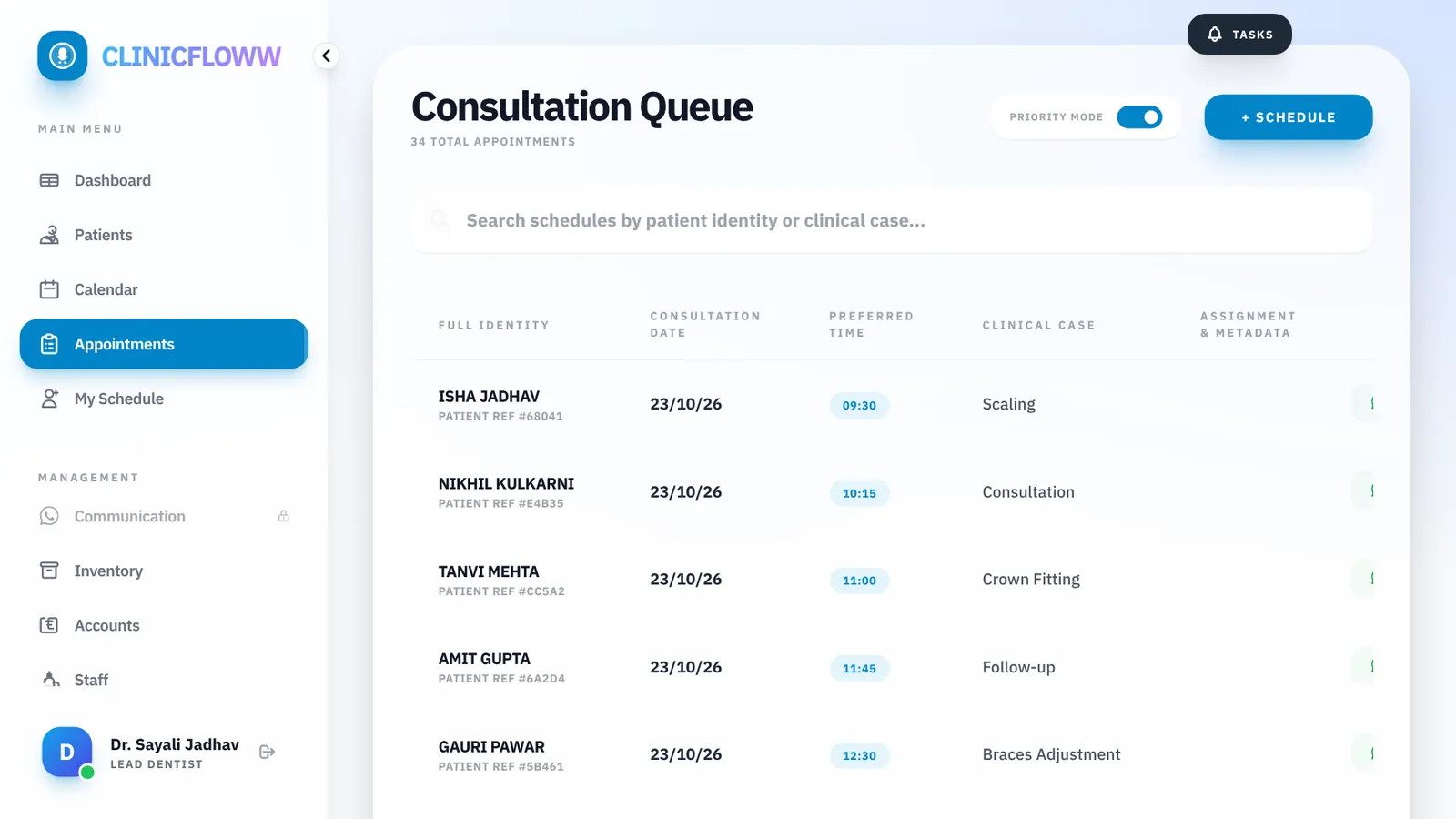
Actual ClinicFloww screens, shown with sample clinic data.
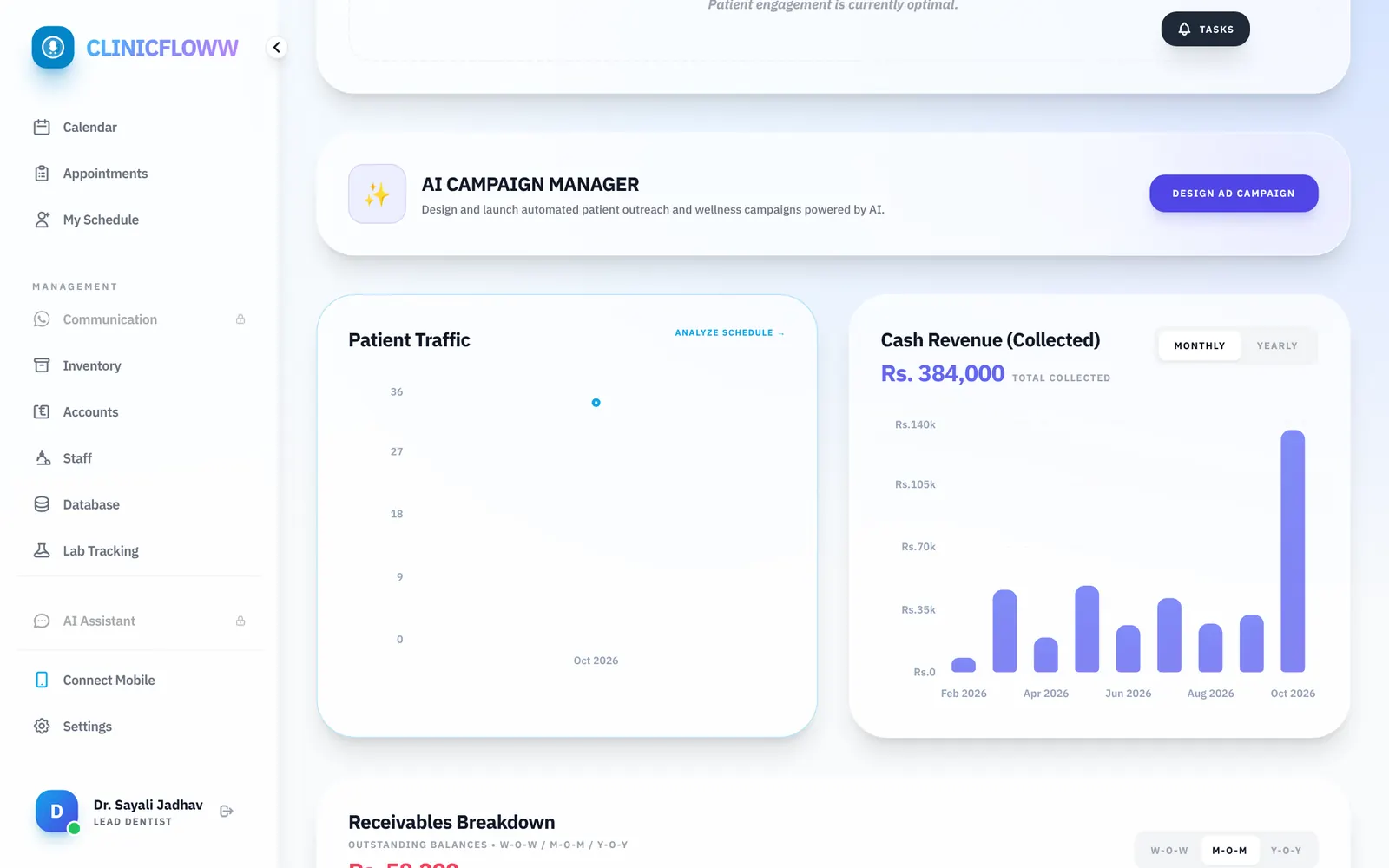

Revenue, patient traffic and follow-ups at a glance, every morning.
Outcomes
Clinical precision.
Business mastery.
Industrial data security
100% local storage. Your patient records never leave your clinic. Complete data ownership.
Admin mastery
Manage doctors, staff permissions, and schedules from a single clinical hub.
Clinical intelligence
AI that finds missed revenue, overdue recalls, and expiring inventory. Prescriptions in 2 seconds.
What's new
More ways to run
your clinic.
ClinicFloww Connect
Open your clinic from home, a second clinic or a conference. Your records stay on your clinic PC.
Voice Assistant
Ask "Tell me about Rahul Sharma" or "What is outstanding this month?" and hear the answer.
Odontogram Charting
Chart conditions and treatments tooth by tooth on an interactive dental chart.
Treatment Photos
Before and after clinical images in each patient's visual record.
Lab Tracking
Track lab work sent and received, so no crown or denture goes missing.
Signed Consent & Case Papers
Patient and doctor signatures, AI-drafted consent, and case papers printed from your template.
AI Campaigns
Draft WhatsApp campaigns with AI and chat with patients two-way from inside the app.
Google Drive Backup
Optional backup to your own Google Drive account, alongside local backups.
Staff Access Control
Give each doctor and assistant only the screens and actions their role needs.
AI intelligence
Finds missed revenue and lost patients.
ClinicFloww AI doesn't just store data. It drafts prescriptions, flags revenue leakage and tells you who is due for a recall.
By practicing clinicians
Built by a doctor.
Not software vendors.
100%
Data ownership
0%
Cloud risk
Local-first beats
cloud-first.
Generic cloud software keeps your patients on someone else's servers. ClinicFloww keeps them with you.
ClinicFloww
- Records stored on your clinic PC
- Works even when the internet is down
- Reach it from anywhere with Connect
- Hardware-locked security
Typical cloud software
- Records stored on vendor servers
- Stops when the internet stops
- Vendor controls access to your data
- One breach can expose many clinics
Run your clinic
without chaos.
Everything you need to stay organised, profitable and in control, without juggling systems.
Platform walkthrough
See it in action.
Setting Up
1 of 10
FAQ
Questions, answered.
What is ClinicFloww?
ClinicFloww is clinic management software for doctors and dental clinics. It handles appointments, patient records, billing and invoices, inventory, expenses, WhatsApp reminders and AI insights in one app.
Is ClinicFloww cloud-based?
No. ClinicFloww is local-first: your patient records are stored on the PC in your clinic, not on our servers or in a cloud database. With ClinicFloww Connect you can still open your clinic from anywhere.
Can I use ClinicFloww on my phone, tablet or TV?
Yes. ClinicFloww runs in the browser, so it works on phones, tablets, laptops, desktops and smart TVs. On clinic Wi-Fi, devices join by scanning a QR code.
Does ClinicFloww work without internet?
Yes. Because your data lives on your clinic PC, day-to-day work such as appointments, records and billing keeps running when the internet is down.
Is ClinicFloww good for dental clinics?
Yes. It was built by a practicing dentist and includes dental features such as odontogram charting, treatment photos, lab work tracking, printable case papers and signed consent forms.
Can ClinicFloww send WhatsApp appointment reminders?
Yes. ClinicFloww sends WhatsApp appointment and follow-up reminders, supports two-way WhatsApp chat with patients, and can draft WhatsApp campaigns with AI.
How do I try ClinicFloww?
Fill in the form on this page to get the download links and a free-tier key straight away.
Get started
Try ClinicFloww free.
Fill in the form to get your download links and free-tier key instantly.
Important: License Activation
After you submit the form, the download links and instructions to generate your free-tier key appear immediately in the confirmation message.
Need help instantly? WhatsApp usRequest Secure Access
Fill out your clinic details below.